
Skip links

Category: Knowledgebase

Knowledgebase: Guidelines for Patients & Doctors: Navigating Virtual Doctor App Efficiently for Seamless Healthcare.

HOW TO REGISTER/ Treat Health Issues Online/ Virtual Doctors Save/Hospitals Are on Strike

Common Health Issues You Can Treat Online

Treat Health Issues Online The world is fast changing, technology has transformed nearly every aspect of life, from banking and shopping to learning and working remotely. But one of the greatest advancements of all is telemedicine, the ability to consult a qualified doctor online without
Step 4: How to Edit Profile for Doctors

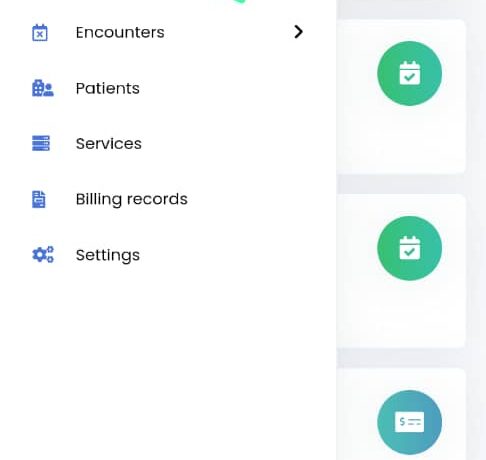
HOW TO EDIT PROFILE FOR DOCTORS 1. Click Profile Picture 2. click My Profile  3. Fill the profile. Add your education, qualifications etc. Upload profile picture. Use finger to sign in the “Signature Section”. Click Save. You are done.

Step 3: How to Add Doctor Sessions for Doctors

HOW TO ADD DOCTOR SESSIONS Doctor sessions is where doctors setup their available time. Steps: 1. Click on menu 2. Click Settings Click Doctor Sessions 4. Click +Session button 5. Fill the form and scroll down to click Save Sessions. Yyou are done! STEP 4: HOW

Step 2: How to Edit or Add a Service for Doctor

HOW TO EDIT A SERVICE. 1. Login to Doctor Dashboard. Click Menu 2. Click “Services“. 3. For the service you want to edit,  click the Pencil Icon to edit. 4. Change “Is this a Telemed Service?” from “No” to “Yes“ 5. Leave it as “Yes”.

Step 1: Doctor Setup Telemed with Google

Doctor Setup Telemed with Google Do this setup in browser. Login here 1. Login to your doctor account. Click menu. 2. Click Setting 3. Click Telemed button 4. Click “Connect with Google” It will open in browser.  Login to your gmail account if you haven’t